What IS Spam Score and How Its Impact on Your SEO Performance (2026)?
You did everything right — published content, built backlinks, optimized your pages. But rankings still won’t move. Sometimes they even drop.
One reason most beginners never think to check? Their website’s Spam Score.
This guide explains exactly what Spam Score is, why it matters for your SEO, what causes it to rise, and the practical steps you can take to bring it down — without panic, without guesswork.
What Is Spam Score?
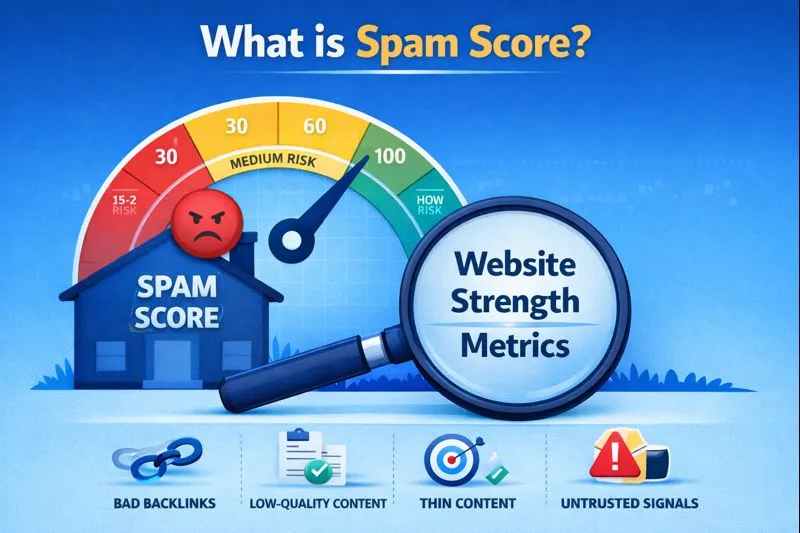
Spam Score is a metric developed by Moz — one of the most trusted names in the SEO industry. It measures how closely a website resembles other sites that have been penalized or banned by Google.
The score runs from 0% to 100%.
A higher percentage does not mean your site is spam. It means your site shares certain characteristics with websites that have been flagged as spammy in the past.
Think of it as a risk signal, not a verdict.
Moz created Spam Score to help website owners identify risky SEO patterns before those patterns cause real damage — lost rankings, manual penalties, or a drop in organic traffic.
How Is Spam Score Calculated?
Moz’s system analyzes 27 different spam signals — also called “spam flags” — across your website and its backlink profile.
These signals include things like:
- A high number of low-quality or irrelevant backlinks
- Thin, copied, or low-value content on key pages
- Unnatural anchor text patterns (too many exact-match keyword links)
- Missing trust signals like an About page, Contact page, or Privacy Policy
- Lack of HTTPS security
- Poor site structure or navigation
- Unusual link-to-content ratios
The more of these flags your site triggers, the higher your Spam Score climbs.
What the Score Ranges Mean
| Score Range | Risk Level | What It Means |
|---|---|---|
| 1% – 30% | Low | Normal — most healthy websites fall here |
| 31% – 60% | Medium | Worth reviewing your backlink profile |
| 61% – 100% | High | Take action — review and clean up immediately |
Does Spam Score Directly Affect Google Rankings?
This is the most common question — and the answer requires some nuance.
Google does not use Moz’s Spam Score as a ranking factor. Google has its own internal spam detection systems, including SpamBrain (its AI-powered spam filter) and manual review teams.
However, here is the important part: the same signals that raise your Spam Score are the same types of patterns Google’s algorithms penalize.
So it works like this:
- High Spam Score → your site has patterns Google considers risky
- Google detects those same patterns → rankings drop or penalties happen
- The Spam Score did not cause the penalty, but it warned you it was coming
It is an early warning system. Ignore it long enough and Google’s own detection will eventually catch up.
What Causes a High Spam Score?
Understanding the causes helps you fix them. Here are the most common reasons websites end up with a high Spam Score.
1. Bad Backlinks from Low-Quality Sites
This is the number one cause. If your site has received links from:
- Spam blogs and auto-generated content sites
- Link farms (sites created purely to sell links)
- Irrelevant or unrelated niches
- PBNs (Private Blog Networks)
- Sites that have themselves been penalized
…then your Spam Score will rise. Your site gets “guilty by association” in the eyes of SEO tools.
2. Over-Optimized Anchor Text
Natural links look diverse. They use your brand name, your URL, generic phrases like “click here,” and sometimes relevant keywords — but not always the same keyword every single time.
If the majority of backlinks pointing to your site use the exact same keyword anchor, it looks manipulated. Both Moz and Google flag this pattern.
3. Thin or Duplicate Content
Pages with very little original content — or content that is copied from other sources — are a red flag. Moz’s system checks whether your site adds real value or just republishes existing information with minor changes.
4. Missing Trust Signals
Legitimate websites have a few things in common: a proper About Us page, a Contact page, a Privacy Policy, and clear navigation. When these are missing, both users and SEO tools see the site as less trustworthy.
A site without basic trust elements looks like it has something to hide.
5. Sudden Link Spikes
A sudden explosion of backlinks in a short period — especially from low-quality sources — is a classic spam pattern. It suggests someone is artificially building links rather than earning them organically.
How to Check Your Website’s Spam Score
You can check Spam Score in a few ways:
Moz Link Explorer — the original and most accurate tool. Enter your domain and it shows your Spam Score along with which specific spam flags are triggered.
MozBar — Moz’s free Chrome extension shows Spam Score directly in search results and on any website you visit.
DA PA Checker — Tools like DA PA Checker let you check Spam Score alongside Domain Authority and Page Authority in one place, for free, without creating an account.
How to Reduce Spam Score — Step by Step
Bringing your Spam Score down is not instant, but it is very doable. Follow these steps.
Step 1 — Run a Full Backlink Audit
Start by exporting your complete backlink profile. Use Moz Link Explorer, Ahrefs, or Google Search Console to see every site linking to yours.
Look for links from:
- Sites with no real content
- Sites in completely unrelated industries
- Domains that exist only to sell links
- Sites with their own high Spam Score
Flag these for removal or disavowal.
Step 2 — Reach Out and Request Link Removals
For the worst offenders, contact the webmaster of the linking site and politely ask them to remove the link. Keep your email simple — introduce yourself, explain which link you are referring to, and request removal.
This works sometimes. When it does not, move to Step 3.
Step 3 — Disavow Links Through Google Search Console
Google’s Disavow Tool lets you tell Google to ignore specific links when evaluating your site. Use it for links you cannot get removed manually.
Create a disavow file listing the bad domains, then submit it through Google Search Console. This does not delete the links — it tells Google not to count them against you.
Important: Only disavow links you are certain are toxic. Disavowing good links by mistake can hurt your rankings.
Step 4 — Improve Your Content Quality
Go through your existing pages and ask honestly: does this page help the reader? Is it original? Does it answer a real question thoroughly?
Pages with very thin content should be either expanded into proper, helpful articles or consolidated with related pages. Do not publish content just to fill your site — every page should earn its place.
Step 5 — Add Missing Trust Signals
If your site is missing any of the following, add them now:
- About Us page — who you are, what your site is about
- Contact page — a real way to reach you
- Privacy Policy — required by law in many countries and expected by Google
- HTTPS — if your site still runs on HTTP, switch to SSL immediately
These are basic signals that tell both users and search engines that your site is legitimate.
Step 6 — Diversify Your Anchor Text
Going forward, when building links, aim for natural anchor text diversity. A healthy backlink profile includes:
- Brand name links (e.g., “DA PA Checker”)
- URL links (e.g., “dapaprochecker.com”)
- Generic phrases (“this article,” “read more,” “click here”)
- Partial keyword matches
- Occasional exact keyword matches
No single type should dominate.
How Long Does It Take for Spam Score to Go Down?
After you submit a disavow file and improve your site’s trust signals, Spam Score does not drop immediately. Moz updates its index on a regular cycle — typically monthly.
Realistically, expect to see improvement within 4 to 8 weeks after taking action. If your Spam Score was very high (above 60%), full recovery might take two to three months of consistent cleanup.
Patience is important here. The work compounds over time.
How Often Should You Check Spam Score?
For most websites, checking once a month is enough to stay on top of your backlink profile and catch any new toxic links early.
If you are actively doing link building — especially at scale — check every two weeks so you can catch any bad links before they accumulate.
Spam Score vs Google Penalty — What Is the Difference?
These are two different things that beginners often confuse.
Spam Score is a Moz metric — a third-party risk indicator. It tells you how risky your site looks based on spam signals. It does not affect your rankings directly.
A Google Penalty is an action taken by Google itself — either algorithmically (through updates like Penguin or SpamBrain) or manually by a Google reviewer. This directly impacts your ability to rank.
A high Spam Score is a warning that a Google penalty might be coming if you do not take action. It is not the penalty itself.
Is a 0% Spam Score Possible?
Technically yes, but it is extremely rare even for completely clean websites. Most healthy, well-maintained sites have a Spam Score somewhere between 1% and 10% simply because no website is perfectly clean by Moz’s 27 signal criteria.
If your score is under 30%, you are in good shape and there is no reason to panic. Focus your energy on sites with scores above 50%.
Quick Summary
- Spam Score is a Moz metric that measures how many spam signals your website triggers
- It does not directly affect Google rankings — but it warns you about patterns that do
- The main causes are toxic backlinks, thin content, over-optimized anchors, and missing trust signals
- You can reduce it by auditing and disavowing bad links, improving content, and adding trust elements
- Check it monthly and use it as a prevention tool, not just a problem-fixing tool
Frequently Asked Questions (FAQ)
What is Spam Score in SEO? Spam Score is a metric by Moz that measures how closely a website resembles sites that have been penalized or flagged for spam. It scores websites from 0% to 100%, where a higher score means more spam-like signals are present. It is a risk indicator, not a penalty itself.
Does a high Spam Score mean my website is spam? No. A high Spam Score means your website shares certain characteristics with websites that have been penalized. It does not mean Google has flagged your site or that you will definitely be penalized. It is a warning that you should review and clean up your backlink profile and on-site signals.
Does Spam Score affect Google rankings? Not directly. Google does not use Moz’s Spam Score as a ranking signal. However, the underlying patterns that raise your Spam Score — like toxic backlinks and thin content — are the same patterns Google’s own algorithms penalize. So a high Spam Score is often a reliable predictor of future ranking problems.
What is a good Spam Score for a website? A Spam Score of 1% to 30% is considered low risk and is perfectly normal for most healthy websites. Scores between 31% and 60% are worth investigating. Scores above 60% indicate serious spam signals that need immediate attention.
How do I lower my website’s Spam Score? Audit your backlinks and identify toxic links, reach out to remove them where possible, submit a disavow file through Google Search Console for links you cannot remove, improve thin content, and add missing trust signals like an About page, Contact page, and Privacy Policy.
How long does it take for Spam Score to go down after cleanup? Moz updates its index regularly — typically monthly. After submitting a disavow file and making on-site improvements, expect to see your score drop within 4 to 8 weeks. For very high scores, full recovery can take two to three months.
Can I check my Spam Score for free? Yes. You can check Spam Score using Moz’s free MozBar browser extension, the limited free access in Moz Link Explorer, or through free tools like DA PA Checker which shows Spam Score alongside Domain Authority and Page Authority.
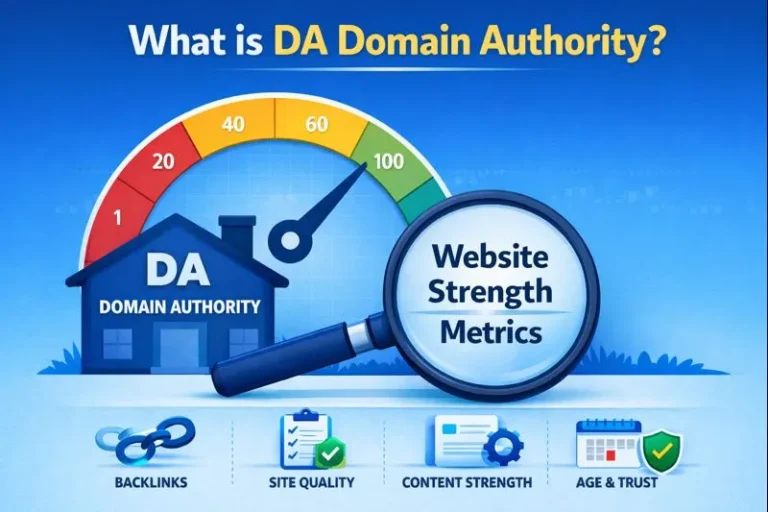
What is the difference between Spam Score and Domain Authority? Domain Authority (DA) measures how strong your website’s backlink profile is and predicts ranking potential. Spam Score measures how risky or spam-like your website appears. A site can have a high DA and a high Spam Score — strong but risky. Ideally, you want high DA and low Spam Score together.
Should I be worried if a competitor has a high Spam Score? Not necessarily. A competitor’s Spam Score tells you about their risk level, not yours. Focus on your own site’s health. However, if you are building links and want to check whether a site is safe to get a link from, checking its Spam Score is a smart move — avoid getting links from high Spam Score sites.


One Comment